
Verify Data Quality using Data Trigger module
The Data Trigger module is a powerful feature that allows you to generate messages whenever incoming data meets specific criteria. But did you know that the same module can also be used to assign quality labels—such as good or bad—to your data?
For example, if an incoming message contains information about a particular asset, asset type, or process value, you can automatically tag it with a quality flag. To do this, simply define the appropriate Trigger Conditions within the Data Trigger module and connect it to your flow.
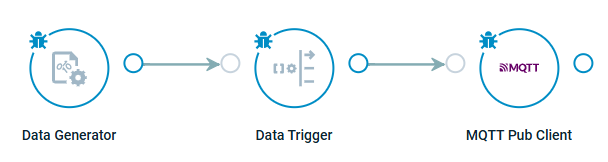
Flow example:
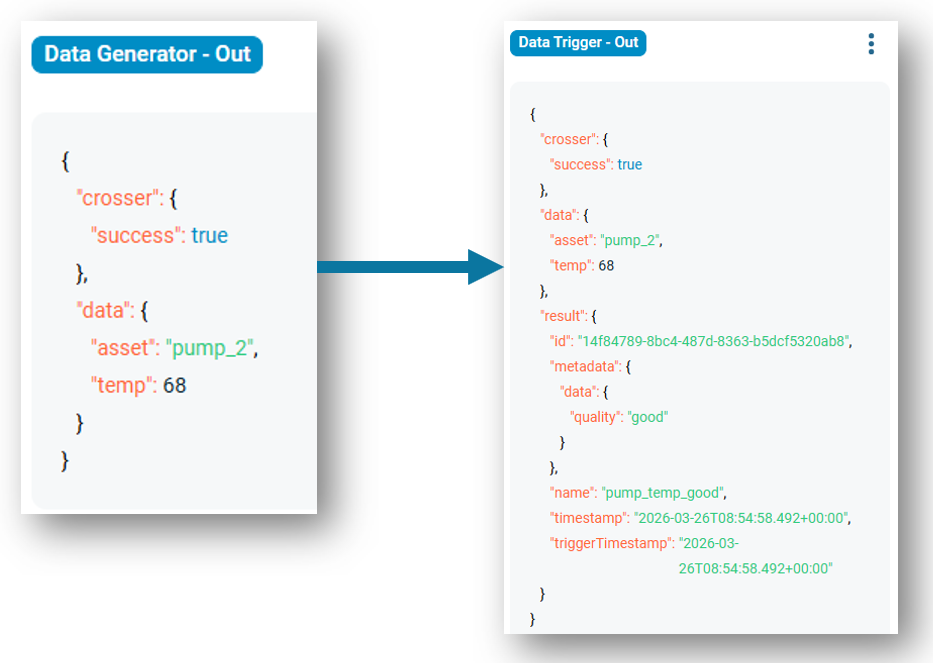
Example - good:
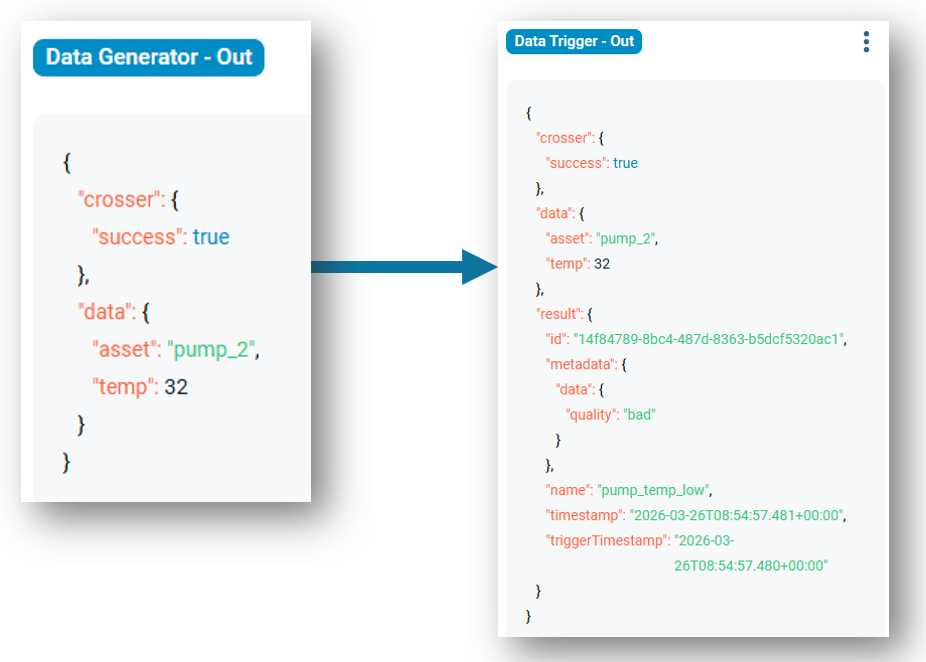
Example - bad:
Trigger definition:
[
	{
		"id": "14f84789-8bc4-487d-8363-b5dcf5320ab8",
		"name": "pump_temp_good",
		"isActive": true,
		"edge": "NoEdge",
		"logicOperation": "And",
		"conditions": [
			{
				"sourceProperty": "temp",
				"condition": "LessThan",
				"value": 70
			},
			{
				"sourceProperty": "temp",
				"condition": "GreaterThan",
				"value": 50
			},
			{
				"sourceProperty": "asset",
				"condition": "Contains",
				"value": "pump"
			}
		],
		"metadata": {
			"data.quality": "good"
		}
	},
	{
		"id": "14f84789-8bc4-487d-8363-b5dcf5320ab9",
		"name": "pump_temp_high",
		"isActive": true,
		"edge": "NoEdge",
		"logicOperation": "And",
		"conditions": [
			{
				"sourceProperty": "temp",
				"condition": "GreaterThan",
				"value": 70
			},
			{
				"sourceProperty": "asset",
				"condition": "Contains",
				"value": "pump"
			}
		],
		"metadata": {
			"data.quality": "bad"
		}
	},
	{
		"id": "14f84789-8bc4-487d-8363-b5dcf5320ac1",
		"name": "pump_temp_low",
		"isActive": true,
		"edge": "NoEdge",
		"logicOperation": "And",
		"conditions": [
			{
				"sourceProperty": "temp",
				"condition": "LessThan",
				"value": 50
			},
			{
				"sourceProperty": "asset",
				"condition": "Contains",
				"value": "pump"
			}
		],
		"metadata": {
					"data.quality": "bad"
		}
	}
]
Tip: Trigger definitions can be created externally and uploaded via API. Besides that, you can parametrize them or ingest them as a flow message.
